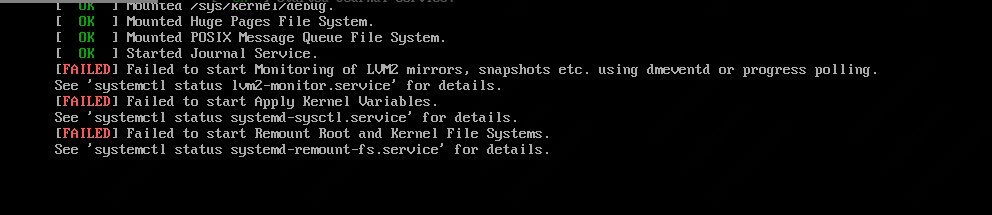
备份走FT,报异常状态码83,如下图

1.查询知道SAN client 主机名与现有的主机名不一致
2.重新添加SAN client 故障恢复
3.SAN client 上面,
一、修改bp.conf文件,注释#SANCLIENT = 1,之后 bp.kill_all,之后 bpclntcmd -clear_host_cache,之后 bp.start_all
二、完成在server上删除后,去注释#SANCLIENT = 1,之后 bp.kill_all,之后 bp.start_all
4.NBU server上面,
一、nbftconfig -deleteclient? hostname? #删除主机,若不成功如下,则 nbrbutil -listorphanedpipes && nbrbutil -releaseorphanedpipes
----------------
Run 'nbrbutil -listorphanedpipes' and if the output shows orphaned pipe(s), run 'nbrbutil -releaseorphanedpipes' to release same.

Following that, run 'nbftconfig -deleteserver' command, which should be successful. If not, collect nbdb_unload information and examine output per internal notes below.
Problem
After properly deleting all FT clients associated with an FT server, the following error code may occur when trying to delete the FT server:
# nbftconfig -deleteserver ftserver01
Failed to delete the FT server
EXIT error: unable to process request because the server resources are busy
EXIT status = 134
There are some jobs on this machine

--------------------
二、 nbemmcmd -deletehost -machinename hostname? ? #删除主机
三、完成主机上的重新配置后,重新扫描,nbftconfig -rescanallclients